


















Learn and Share
Recently active
Hello, I am helping a client reconfigure their Aspire payroll/timekeeping system. Does any one know if we can set CA meal premiums in the system automatically? Or does it all have to be done manually? And also is there any where to set up the 7th consecutive day worked rule?
Important Update for Crew Mobile Crew Mobile app will be officially sunset in early November 2025 – Transition to Aspire Mobile Today. We know how valuable this tool has been for your field teams, and we're fully committed to helping you transition smoothly to Aspire Mobile. Aspire Mobile is already supporting tens of thousands of users and is ready to meet your needs from day one. It’s available now on both the App Store and Google Play, and includes all the core features your field teams rely on—plus much more. Here's what you can expect: Offline Capabilities – Keep working without WiFi or cellular service. Modern User Interface – An intuitive experience that simplifies onboarding and daily use. Centralized Hub – One place for all your essential mobile tools and features. We highly encourage you to start migrating now so your teams have time to get comfortable with Aspire Mobile well before the November deadline. Early adoption = no disruption. Let us know if you have an
I’m looking to integrate Aspire with HubSpot so that contacts created in HubSpot are also created in Aspire. I’ve generated API credentials from my Aspire account (Client ID & Secret), but I need Aspire’s API documentation to proceed.Could someone help me how to find:The OAuth or token authentication URL The endpoint to create a new contact (and required fields)
More than an EOM Class Master your EOM close with Aspire's intensive Accounting Workshop. Get expert-led group training plus personalized support. Limited to 20 seats—secure yours now. 💻 SAS Invoice Revenue📅 June 24-25, 2025📍 Aspire Software, Chesterfield, MO💸 $1500 Topics we will go over include: Purchase receipts Validating payments and deposits Month-end close processes Journal entries Click the link to register. If you can’t make this one, don’t worry. We have more accounting workshops scheduled in 2025.
I have a customer who wants the PO added into here invoice each month. The invoice is sent on the 1st of each month. When received, she will send the PO asking me to resend with the PO added. How do I get that added? She just wants it somewhere on the invoice, doesn’t matter where. Thank you
I have a technician out in the field who is consistently getting logged out. When i investigate i find that his user in the back end has been made inactive. Support is telling me no one is doing it but can’t provide me with any reason why this is happening. Has anyone else experienced this? I will note this is a former employee that I brough back. not sure if that has correlation but thought it was important to mention.
Hey everyone,We're looking for examples of site audits—whether from Aspire Software or another platform—to better understand how our clients are using them today. If you have any recent audits you can share (with sensitive info removed, of course), we'd love to review them as we work with Product Management to explore potential improvements.Drop a reply here or email me at Calvin.hofman@youraspire.com if you're willing to share. Thanks!
We will have customers that will call in and ask for their service work ticket to be scheduled on a specific day and I am wondering if there is a good way outside of putting it in the ticket notes to make sure that ticket stays on the day the customer wants.Problem: we get rain so we start rearranging the week and the only thing that I can think of at this point is to click into print preview and make sure there are no notes that we have added about it being done on said day. Is there a more efficient way we can go about this?
How do I reopen a closed month in Aspire?
Hello, Since switching to Aspire Mobile we tend to get a handful of clock time conflicts a day. However, some of these have no difference. Does anybody know what causes this and how to avoid? Our CSM didn’t have the answer for us.
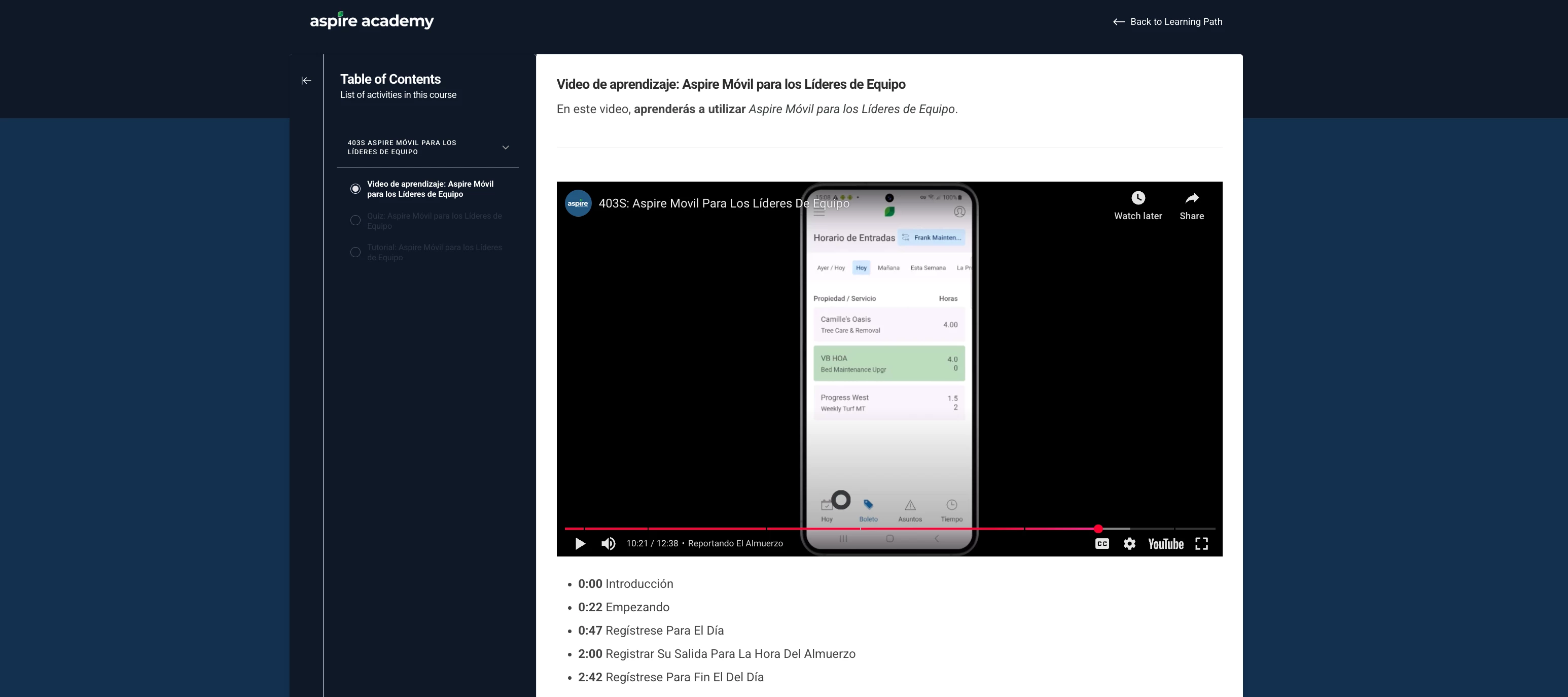
Crew Learning Paths Now in Spanish- Aspire Academy We're pleased to announce that new crew learning paths have been added in Spanish in Aspire Academy. Spread the word and help your colleagues expand their knowledge so they get up to speed. Aspire Together has been buzzing about Aspire Mobile topics. Need a refresher on Mobile? Our Aspire Academy learning path on Mobile is the right place to get a refresher on the basics. ➡️📱
Hello,We are experiencing an issue where purchase credits created in Aspire are not automatically syncing with QuickBooks. Could you please provide guidance or a workaround to ensure that these transactions are matched automatically in QuickBooks? We are looking for a solution to seamlessly integrate purchase credits between the two systems without manual intervention.Thank you for your assistance.
It would be great to have a filter type of Two Weeks Ago. This would make it easier to create reports for our 2 week payroll system! For example I could create a List that shows unapproved time from Last Week or from Two Weeks Ago!
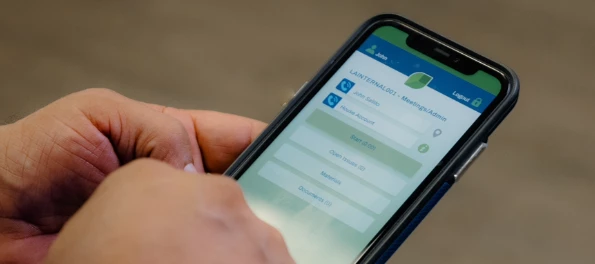
Has anyone started to shift to the new Aspire Mobile app yet? We are very excited to get everyone trained on Aspire Mobile when the time comes. For our location, the offline capabilites are going to be a major game changer. I’m curious if anyone else has tried it out and see what you’re noticing.I have a couple of people that have made the jump over to make sure we know how to use it before the whole team switches over. So far, the transition has been pretty smooth especially since Aspire Mobile hasn’t been fully launched yet. We are really excited for Aspire Mobile to be at full functionality but here’s what we’ve noticed so far:Pros:Offline capabilities You can quickly clock in and out of jobs where the cell reception is poor. Quick log in most of the time the user stays signed in and you don’t need to type in their pin each time they open the app All the notes in one place Rather than clicking back and forth to see notes they are all displayed on one screen with the address, manag
Has anyone figured out a way to change what a field employee can see on Aspire? We want to make it to where certain employees can only see certain routes when they are clocking into crews in the morning and not every route.
The clock is ticking.. Register for Ignite ’25 to lock in early bird pricing and save $150 on your Ignite 2025 ticket. Don’t miss this opportunity to invest in your success at the year’s most impactful user conference. Ignite isn’t just about ideas—it’s about action. Gain hands-on training from experts, connect with peers, and walk away with strategies you can put to work immediately. Register before March 31 to secure your savings.
I mistakenly applied an invoice to a prepayment. I need to unallocate the invoice from the prepayment check.
Since December 2024, Aspire started to save every invoice to the property attachments. It caused too many attachments when try to find the important documents, such as contract/agreement, property map, irrigation zone map and so on. We need to have a setting to turn off this feature. Please vote for this idea in the idea portal. Thank you!
We have a contract with a limited number of trips. Previously, we had 46 trips recorded. However, when I switched to tracking trips by contract tickets instead of individual punch-ins, the system shows only 35 trips. I noticed that some tickets have multiple punch-ins on the same day.Is there a more efficient way to determine the actual number of trips used, such as generating a report that accurately reflects the trip count based on the contract's definition of a 'trip'?"
Profitability is a hot topic in 2025 🔥 It’s webinar time! The numbers are in. Aspire clients are making decisions faster, working smarter, and seeing higher profits than their competitors. But don’t just take our word for it—join us for a live discussion in which a panel of Aspire clients will share their real-world experiences and results. 📅 When: 3/27🕗 Time: 1:00 PM CST We’ll break down key insights from our latest ROI Report (based on a survey of over 1,200 clients) and discuss how Aspire has positively influenced our panelists’ businesses, including its impact on: Knowing—and leveraging—their numbers Improving efficiency from the office to the field Achieving better performance and profitability Register for the webinar here.
Hi,I use purchase assistant for my material purchasing. I have realized on the assistant it does not tell you how much you have already used of that material. Is there a setting or somewhere else i can go to see the totality of the items ive already purchased? Example:¾ drain stone i have 7 tickets with various amounts in the quantities for the job.How do i see how much ive already ordered for the entire job?
Meet the Women Shaping the Industry ⭐ We're celebrating the incredible women who make our community thrive. Taylor and Yi are two of our very own inspiring community members and we want to take this moment to recognize them. Taylor and Yi have completed every course in Aspire Academy and we want to highlight this significant milestone. Taylor also helped our e-learning team with beta testing and the launch of Aspire Academy. We can’t thank you enough for your support. We see your strength, we appreciate your dedication, and we're motivated by your stories. We're honored to be a part of your journey. Here's to all the women making history, today and every day! #WomensHistoryMonth Let’s congratulate both of these incredible women, and all the women in on our industry! 🎉
Has anyone been able to create an advanced search formula using greater than or equal to functions? For example, I am trying to get a custom formula to only show items within a work ticket list that are completed at for above the estimated gross margin. Thank you!
I am looking for some insight on how to narrow down custom Lists and Reports. For example, I would like take my customized Work Ticket List (showing our Sched Var on Hours) and reflect the 10 worst Work Tickets from the list. My hope is to have a Dashboard Metric for Managers to click into, that way they can see what 10 Properties went over the most on their hours. I know that I can sort it for a certain value, such as Greater than, less than, Equals to, etc. - but I am trying to avoid determining the value and just seeing the 10 highest/lowest values.
We joined the beta test a few month ago, then found out that it was missing the adding payment feature. Customer must call us to add the payment for them. We immediately switched back to customer portal 1.0. If you are on the customer portal 2.0, would you please share your comments & feedback? Appreciate.
Already have an account? Login
No account yet? Create an account
Enter your E-mail address. We'll send you an e-mail with instructions to reset your password.