





















Learn and Share
Recently active
Spotlight: Meet our Speakers at Ignite 2026 Before there was a stage, there was a thread in the community. And every great answer in this forum started somewhere. A lesson learned the hard way. A workflow rebuilt from scratch after the first one failed. A willingness to say here's what worked for us when someone else was stuck. Long before anyone handed them a microphone, these five were already showing up for the community, answering questions, sharing what worked, and helping other operators. This year, their expertise shows up on the Ignite stage: Emily Nickel & Keenan Baird team up for Implementing Across Your Teams - SOPs, Training, and Adoption at Scale, tackling how to build Aspire SOPs that hold up in the field and in the office, and how to roll out training across multiple branches without losing consistency. Yi Wei breaks down From Reporting to Results - Turning Data Into Decisions, showing how to turn messy data into a weekly review process that actually drives accou
Billing Faster Won't Save Your Cash Flow 76% of contractors bill within four days of finishing a job but only 39% get paid on time.The gap is the real story. A third of contractors invoice the very day work wraps. Yet 60% of payments arrive at least a week late, and 7% take two to three months.Improving cash flow is the top goal for 42% of contractors right now. Most chase it by trying to bill faster. But if an invoice goes out on day one and payment takes ten weeks, billing wasn't the bottleneck. The real bottleneck happens after the invoice leaves your desk like unclear terms, manual follow-ups, and friction-filled payment methods. Cash flow isn't won when you send the invoice. It's won in how you collect it. Audit your collection workflow today, automate your reminders, and get paid on the timeline you earned. Get more insights from the 2026 Commercial Landscape Industry Report.
It has been a frustration of mine for a long time that we can’t effectively schedule lawn care services. This idea (if they do it) would allow users to set up service sequences. Please help me rock the vote! I am tired of scheduling!!! https://feedback.youraspire.com/ideas/WAP-I-7782
Hi Guys,We are integrating with the Aspire API. We have successfully implemented creating an Opportunity via API. However, we are now blocked on the following three operations:1. Create an Estimate under an existing Opportunity via API2. Update the Estimate status to Complete3. Update the Estimate status to WonWe reviewed the full API documentation at https://guide.youraspire.com/apidocs but could not find any endpoints that support these operations under the Opportunity module.Could anyone from the community or Aspire team please confirm:- Is there an API endpoint to create an Estimate under an existing Opportunity?- Is there an API endpoint to update the Estimate status to Complete?- Is there an API endpoint to update the Estimate status to Won?- If these are not currently supported, is this on the product roadmap and what is the expected release timeline?This is currently blocking our integration development. Any guidance, workaround, or documentation would be greatly appreciated.Th
When doing a pesticide treatment we are required to leave notification of several items (temperature, wind speed, etc.) that are filled out onsite using a custom form. When it notifies them on completion it currently does not include this form).Rock The Vote WAP-I-3219@Brenda
I came here to see if anyone else is using Vectorworks Landmark for their landscape designs. In the process, I went to Aspire’s website to confirm the name of the software, as I remembered Vectorworks and Aspire having some sort of partnership/integration in the past. However, it appears that may no longer be the case.I’m curious if anyone has more information on that, but my main question is:How are you integrating your design work with Aspire to make the design-to-estimating process more efficient?Currently, we use Vectorworks for design and Aspire for estimating. Without an integration—or even a straightforward export/import process—we find ourselves manually transferring the quantities and values from Vectorworks into Aspire to build the estimate.That creates quite a bit of duplicate work, and it becomes especially cumbersome when:A design changes and quantities need to be updated We want to provide multiple design/pricing options to a client or prospect We go through several round
Hello! Sometimes we have clients who are behind on payments and we want to pause services. Has anyone used the property availability to make it not available to schedule? For example, maybe you make the property only available to schedule on Sundays when we aren’t typically working? Just looking for some ideas to make this process smoother/more robust. Thank you!Or ideas on how to make sure clients pay on time! : )
We need more votes to bump this up the list! The system is unforgiving when a mistake is made applying payments. “Allow user to re-open a payment to make corrections such as assigning to a property, re-assigned the invoice that it is paying, etc. Understanding that this may only be able to happen in open months.”WAP-I-3704: https://feedback.youraspire.com/ideas/WAP-I-3704
The state of Texas requires specific information on every chemical application that I assume is probably required in other states that Aspire could help build. We need to be able to have Mobile Form information available to be Displayed in Work Tickets, or we need to have more options to be Displayed in the Mobile Forms portal.Rock The Vote WAP-I-3121@LeahM
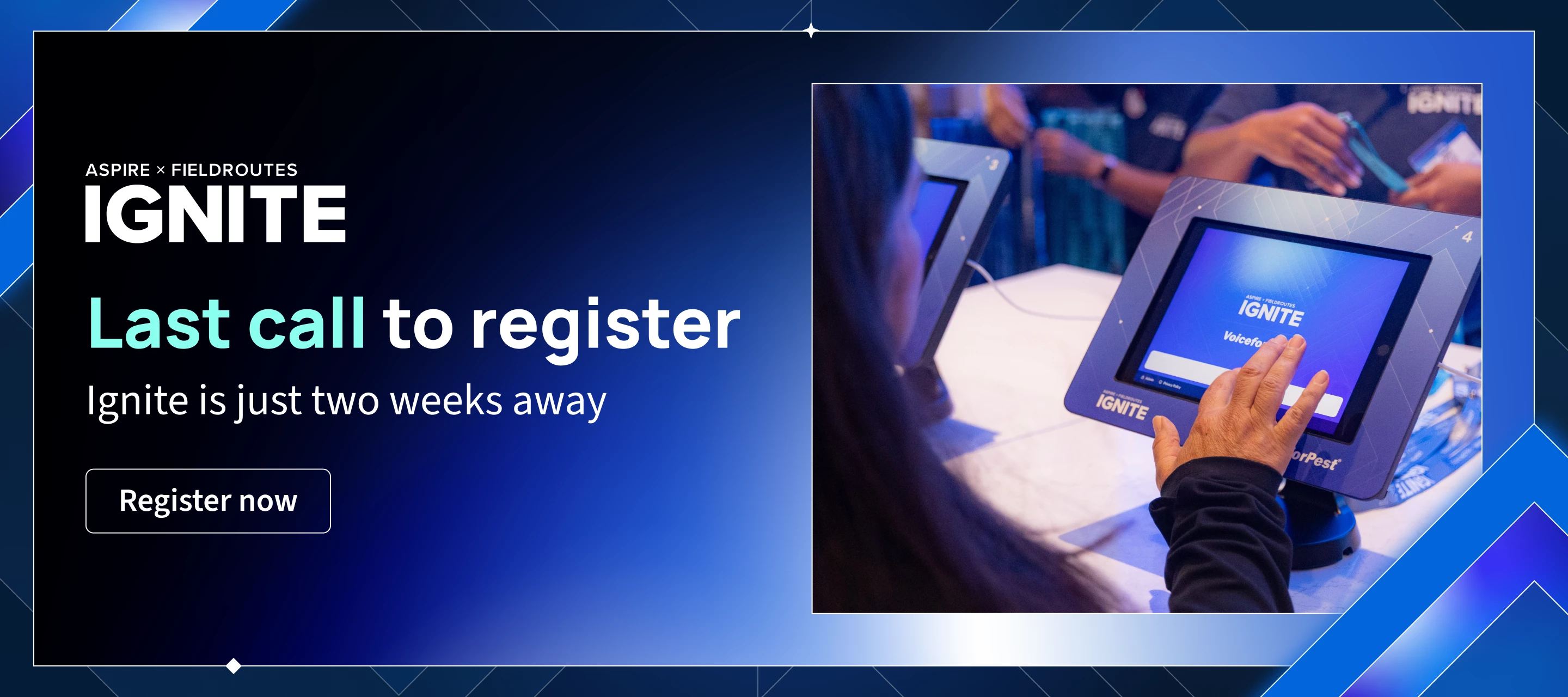
Visit the Help Hub at Ignite Nobody knows your business better than you and nobody knows Aspire better than our Customer Success team. At Ignite, you can bring the two together for personalized, on-site guidance from the experts who know the platform best. Stop by the Help Hub during the event to schedule a 1:1 appointment with our team. Whether you want to troubleshoot a specific challenge, explore new features to maximize your setup, or map out your next big move, you'll leave with clear, actionable next steps. Event Details & Location Venue: Walt Disney World Swan and Dolphin Resort in Orlando Perks: Between sessions, enjoy 23 restaurants and lounges, pools, the Mandara Spa, and complimentary transportation to the Disney parks Ignite is just a few weeks away! If you haven't secured your spot yet, today is the day.Register now and start your planning Ignite itinerary.
The secret to 5 star reviews is the customer experience Word of mouth can make or break a service business and Rob Peppin, co-owner of Blue Haven Pools & Spas has the numbers to prove it. He treats customer experience as the filter for every decision his team makes, right down to the software they run on. His clients can log in anytime to check service schedules, chemical reports, and gate confirmations without ever picking up the phone. The payoff is a 95% five-star review rate. How are you building your customer experience?
Being able to select all on the drop down menus for the Route Managers, Routes, Properties, Opportunities in both Property and Route Manager Views. @Amy Parsons Rock The Vote: WAP-I-7255
https://feedback.youraspire.com/ideas/WAP-I-6855@LaRaeWhite We need the ability to designate multiple primary contacts because different individuals may be responsible for different aspects of the account. For example, one primary contact may review and sign contracts, while another is the on-site contact for scheduling, service updates, or property-specific questions. Having multiple primary contacts ensures communication reaches the appropriate person and helps prevent delays.
I have some Credit card payments run through Aspire (process electronic payments) but declined. The invoices remain open and I can re-run the electronic payment but the $0.00 payments remain in payments and want to be deposited, I CANNOT delete them. I even created a deposit and it made a $0 deposit but they’re still sitting there in payments. How do I delete these so that they’re not sitting there annoying me for all eternity? Thanks!
My customer’s ACH payment bounced back from their bank. We are using FiServ.How do I “remove” the payment from their Invoice so it can be repaid? I am not able to deselect the invoice or the payment from each other. I am not able to delete the payment. The software has not introduced a negative payment to apply to anything. I also don’t want to just create a new invoice as that will create inaccurate revenue.
Hey folks, I know a lot people have some great displays for schedule boards and other things. I think it would be great for the community to share some tips and inspiration! https://care.youraspire.com/en/articles/6578056-how-to-maintain-a-schedule-board-on-an-external-display
A Balanced Approach to Commercial Collections Navigating commercial collections without blowing up client relationships is one of the hardest balancing acts in business. When invoices go past due, the instinct is often to either freeze up to protect the relationship or drop the hammer to get paid. Neither approach works well long-term. Protecting your cash flow doesn't have to come at the expense of your customer lifetime value. And we’re teaching you how to change that in our upcoming webinar, A Guide to Commercial Collections: Protecting Cash Flow Without Losing the Client on September 1st. What we'll cover: Early Detection: How to spot payment risk signals before an invoice becomes a default. Tactical Communication: Scripts and frameworks for firm, professional, and empathetic outreach. Escalation Strategies: Knowing when and howto tighten terms without severing the relationship. Preserving Goodwill: Keeping the door open for future business while securing what you're
Who has a purchase receipt layout that they’ve customized and love? I find myself duplicating information in an email to the vendors--if its pick up or delivery and what date we are wanting it.Do you prefer using job name, work ticket number or PO number when sending an order to a vendor?
What a week in Boston! We just wrapped up our latest Aspire to Greatness event and the energy in the room was incredible. A massive thank you to all the landscape business leaders and teams who joined us for two intensive, hands-on days. Together, we dove deep into the platform, tackled daily operational bottlenecks, and uncovered new ways to drive efficiency across every department from leveraging tools like the health scorecard and property wizard to drive performance. If you missed Boston, your next opportunity is right around the corner. We are hosting our next Aspire to Greatness workshop in November focusing fully on construction capabilities and registration is officially open. Level up your operations and reserve your seat for November.
Software Adoption Never Stops After Implementation In this episode of Toolbox for the Trades, we’re joined by former Aspire employee, Ryan Nelson. Ryan spent his career moving through construction, field ops, branch management, and software implementation at Visterra Landscape Group. He's seen the pattern up close from teams over-engineer estimating kits, track every micro-cost, and burn out before the system pays off. His fix? Fewer metrics. Simpler setups. Ryan puts real mastery at three years, not three months.We also get into the trades' biggest blind spot: manager training. Ryan shares how shadow programs and asking questions close that gap, plus his grounded take on autonomous mowers and AI hype. Tune in and let us know: where did your team over-complicate things?
We are experiencing the following issues with Aspire Mobile for Crew clock in:Aspire app sporadically not syncing & recording time correctly. Application unexpectedly shuts down when crew members are attempting to select “clock in”. (All troubleshooting steps have been taken – restart/reinstall app/etc). Aspire does not display crew members under Leads when they’re selected during clock in. At times the application does not allow leads to clock themselves and crew out at the end of their day.Can anyone please give insight in how to fix any/all of these issues?
Question for the finance experts of Aspire users! We have been closing the month in Aspire for roughly a year and a half, and do it by the second Friday of the following month. We’ve not yet had to ever reopen a month for any reason, but I do recall during implementation it was stressed to us that’s it’s not a good idea because things can get messy very quickly. I also read somewhere that if I have to reopen a closed month that’s several months ago, all the months after that have to be re-closed (or something to that nature; can’t remember the exact verbiage). So, my question is- what are all of the reasons why people avoid reopening closed months? What risks and/or challenges does it pose? Is it time consuming? Does the benefit of being able to make corrections in previous months outweigh the risk/challenges from reopening a closed period?
Good morning all. Quick question: Is it possible to automatically expose the text of the Service Description to crews so that it shows in Mobile? This would be in addition to the Service Operation Notes.
We’ve experienced an uptick of clients getting frustrated with the client portal, which delays us receiving deposits and final payments on projects. Clients don’t love having to create an account to view and pay their invoices online versus utlizing previously established accounts such as apple pay, intuit invoices (which allow for apple pay), or using zelle to send payments. The office administrators experience is that working to accomodate these client concerns requires double work and falls outside our existing AR systems. In some cases, it simply can’t be done at all.Examples include having to re-create the invoice in quickbooks, send it, receive the payment, delete the payment and invoice and quickbooks and re-enter it in Aspire. Does anyone have a system or process for these situations that works to allow for faster payments and various payment options outside of using the client portal WITHOUT creating a bunch of double work?
Is there a way to make the invoice format match the estimate/proposal format in Aspire? When I print them, I'd like them to look the same. The estimate includes a more detailed breakdown of the services and descriptions, but the printed invoice doesn't display those descriptions or the same level of detail. Is there a setting or customization that would allow the invoice to be formatted similarly to the estimate?
Already have an account? Login
No account yet? Create an account
Enter your E-mail address. We'll send you an e-mail with instructions to reset your password.