
















Learn and Share
Recently active
What are the best practices for Discounts. I am aware of the Aspire Care topic with the three options, but none of those have an elegant solution for displaying a Discount on the Invoice. Option 3 allows you to show the Discount as an item on the Opportunity, but it does not show up on the Invoice. In order for it to show up as a negative number on the Invoice you would have to be able to allocate a negative value on the Work Ticket. We can do Credit Memos, but that doesn’t get calculated in the Property Gross Margin%. Does anyone have a solution for this?
An Enhanced Portal for Increased Success You’re invited to join Julia Cummings, Jason Pyne, and Travis Wills as we unveil the latest innovations designed to empower you with the customer portal 2.0. Designed with your needs in mind, the updated portal offers enhanced features, improved navigation, and powerful tools to better serve both you and your clients. During this webinar, we’ll walk through key upgrades, demonstrate how to get the most out of the new platform, and highlight the added value 🗓️ 5/29/25 ⏰ 1:00 PM CST We’ll also provide clear next steps as the legacy portal is officially being retired in August 2025. This is your chance to ask questions, see the new portal in action, and prepare for a smooth transition. Don’t miss this opportunity to get ahead and make the most of what’s new. 📎 Register through the link to secure your spot.
How do you guys deal with call aheads? I can’t expect our guys to look at notes for all customers the night before.
Who will win in 2025? Help us celebrate the rockstars of the industry with our annual user awards. ⭐ Our community is doing big things this year, and it’s time to shine a spotlight on the best of the best. Nominations for awards are open now. This is your chance to nominate your all-stars, peers, or even yourself (hey, we won’t tell). Winners will be announced live at Ignite 2025, September 15-17 in Anaheim, CA and will receive a FREE ticket to next year’s event. Award categories include: 📎 The stage is set. Submit your nominations through the [LINK].
Hey folks, Just wondering how folks deal with contacts that have 1 email and multiple companies. We try to add a +1 at the end of the email and that sometimes works. Wondering if anyone else has a better work around?
Only 33 people voted for this easy upgrade? The data is already in Aspire - let’s get this voted on!
Please vote to add the budget to the P&L to see budget vs actuals should be easy since this there is already a KPI format of the data. This idea was created in Dec 2022 🕥 hopefully we can get more votes on this enhancement! ✅Please click the link below to vote! https://feedback.youraspire.com/ideas/WAP-I-4026
Is anyone using barcodes to help with inventory/allocations? If so, are you using the barcode from the product itself or creating a barcode yourself for the item? We have tried both and are having little success with either. When going to scan the barcode, we are only getting about 20% of them to work. Even entering the barcode number itself doesn’t seem to work. If you are having success, what’s the secret?
Register Now to Get Expert-Led Training This isn’t a step-by-step EOM tutorial. Instead, we’ll focus on the areas that tend to cause the most friction — helping your team tackle them head-on with targeted, expert support. 📅 June 24–25, 2025📍 Aspire Software HQ – Chesterfield, MO💸 $1,500 per attendee👥 Limited to 20 participants What you’ll learn: Reviewing and reconciling purchase receipts Validating payments and deposits Mastering journal entries and the month-end close Analyzing key balance sheet accounts for accuracy and completeness This workshop is designed to give your team clarity and confidence in the most critical areas of accounting — all through practical, in-person training with our expert team. 📎 We’re one month away, sign up now to secure your spot.
What are submittals and who can benefit from them?
We recently integrated Voice for Turf with Aspire and like it overall. Just trying to figure out best practice for handling the influx of tasks in Aspire created by Voice for Turf. Any suggestions for best practices would be greatly appreciated!
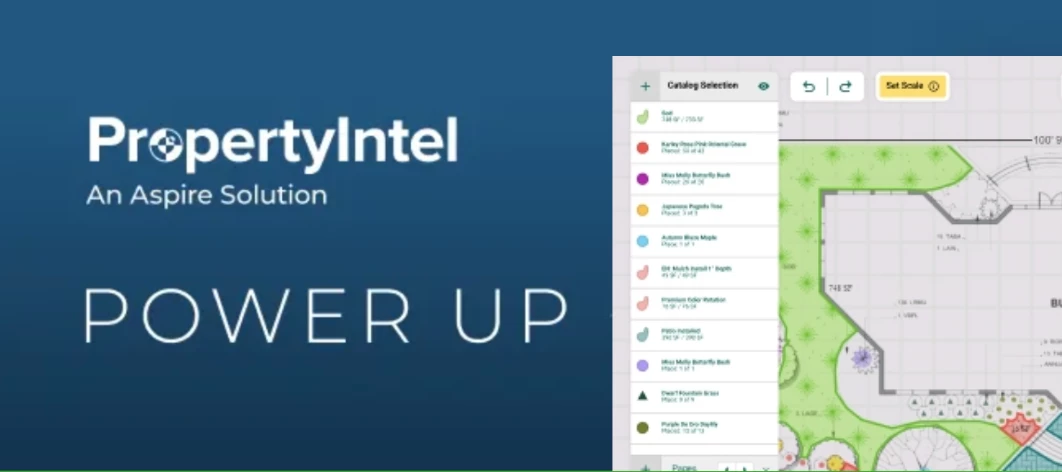
Watch the 100 Days of Hell Webinar Recording 📹 Join the PropertyIntel team in this deep-dive webinar recording to learn how PropertyIntel Complete's done-for-you measurement service helps you overcome the challenges faced during peak season. Hear from guest speaker, Katie Clark of Schill Landscaping, about her perspective on the busy season, how she uses PI Complete in her role, and the benefits she's realized through the partnership. 📎 Create your 14-day free trial for PropertyIntel here.
I was wondering if other people from the East Coast are arriving a day early and/or leaving the following day due to the travel time. Need to plan expenses for the trip.Thank you!Carol
If you thought Ignite ‘24 was great, wait till you see what’s next. Ignite isn’t a sit in the back and clap kind of conference. It’s where the hands-on leaders and doers come together to strategize, learn, and deliver real impact. Owners, power users, operations managers, sales leaders—bring the team that gets it done for three days of impactful sessions, keynotes, panels, networking events, and more. 📎 Register your team today: [LINK]
Has anyone found a way to drill into work tickets by crew member instead of crew leader? We are trying to get data on specific employees that tend to hop around a lot from crew to crew. Any help is appreciated
Back By Popular Demand- Ignite’25 Community Contest Hello Aspire Community 👋 Did you miss early bird pricing for Ignite ‘25? Or would you rather get a free ticket to attend our favorite event? We’ve got a very cool opportunity to share. We are giving away 3 free tickets to Ignite 2025- one ticket every month from May 2025 through July 2025. We know you have some good nuggets of Aspire knowledge to share with your peers, so why not share it here in Aspire Together and win a free ticket to this year’s Ignite while you’re at it? You heard that right- 3 FREE tickets to Ignite’25 ⚡ The community challenge will run between 5/1/25 and 7/31/25. We’ll be keeping an eye out for our top three most engaged community members in Aspire Together. How it works: Between May 1st and July 31st, you’ll score points for every action below that you take in Aspire Together. One community member will be selected at the end of every month and win a ticket to join us at Ignite ‘25. Some actions are
Hi all!I’m looking to see if anyone has or know if we can do an audit for print layouts on opportunitities. For example in our company we have about 20 layouts to chose from and we want to audit which is being used the most through out the company. Any info helps!
Hello, a client of ours is having issues paying for an invoice in their customer portal. He said it is rejecting his credit card with a “pre-authorization error” code. Do you have suggestions for how he can troubleshoot this?
Would you please share your tips when using site audit? Thank you!
I have a customer that is adamant about paying online through a portal. I have sent him the link to sign up for the portal through Aspire several times, but it keeps coming back as undeliverable. I have verified that the email is correct, and we have been emailing back and forth using the same one. Any ideas why the portal invite link is kicking back?
How does everybody handle their rental equipment? Big stuff that goes to one specific job is easy enough, but if we rent an aerator or a compressor and use it across 50 jobs for 3 weeks, I don’t want someone going in and creating a purchase receipt for each of those. We’re considering plopping it into inventory and then being able to allocate it out from there.Open to anybody’s thoughts or best practices.
Is there a feature to setup automatic reminders for clients so that the invoice will send out every few days, once a week etc to stay on top of collections? or is all just manual?
How is everyone conveying information to crews prior to them starting a job? We have and use every notes field, but those only pop when you click into a job. Has anybody come up with an elegant way to share information like “give them a call in advance” on days when a crew might have 20 tickets? I really don’t expect crews to be clicking through every ticket before they leave every day for the once a month when they actually would need to. Hoping someone has a slick approach to this I can borrow.
The property availability feature now is only informative and it does not interact with scheduling board. I’m curious how Aspire will make it interact with scheduling board when adding a ticket outside of the availability. Will the screen pop up a warning message? Will it trigger an automatically email to the Account Owner about this unexpected visit? If it will trigger an email notification, I wish we can have a setting in configuration to turn off this automatically email. We are trying to roll out a plan to add property availability into existing property. But we also have hesitation about how it will interact with scheduling board.
When I merge items from our original contract into work tickets (e.g a bunch of concrete walls with veneer are all the same, basically, so I merge them) there’s no real easy way to just click the work tickets to see what items are in them. I have to go back to the original estimate and click individual items to see which work ticket they’re in. More importantly, our office manager needs to do that, and she hates doing it. So I’m stuck making a merged work tickets list that takes a lot of time. I wish there was a way to click the work tickets and see which items are in them. Any thoughts anybody?
Already have an account? Login
No account yet? Create an account
Enter your E-mail address. We'll send you an e-mail with instructions to reset your password.