



















Learn and Share
Recently active
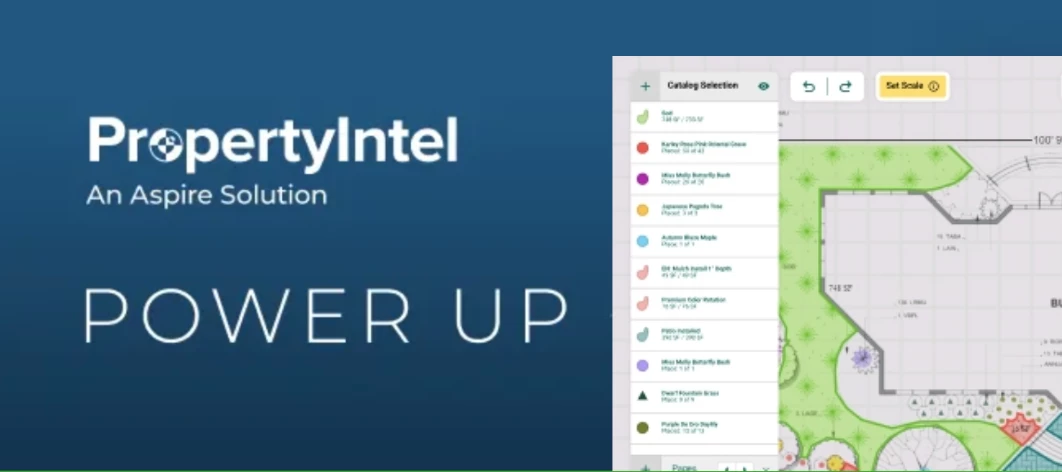
Watch the 100 Days of Hell Webinar Recording 📹 Join the PropertyIntel team in this deep-dive webinar recording to learn how PropertyIntel Complete's done-for-you measurement service helps you overcome the challenges faced during peak season. Hear from guest speaker, Katie Clark of Schill Landscaping, about her perspective on the busy season, how she uses PI Complete in her role, and the benefits she's realized through the partnership. 📎 Create your 14-day free trial for PropertyIntel here.
I was wondering if other people from the East Coast are arriving a day early and/or leaving the following day due to the travel time. Need to plan expenses for the trip.Thank you!Carol
If you thought Ignite ‘24 was great, wait till you see what’s next. Ignite isn’t a sit in the back and clap kind of conference. It’s where the hands-on leaders and doers come together to strategize, learn, and deliver real impact. Owners, power users, operations managers, sales leaders—bring the team that gets it done for three days of impactful sessions, keynotes, panels, networking events, and more. 📎 Register your team today: [LINK]
Has anyone found a way to drill into work tickets by crew member instead of crew leader? We are trying to get data on specific employees that tend to hop around a lot from crew to crew. Any help is appreciated
Back By Popular Demand- Ignite’25 Community Contest Hello Aspire Community 👋 Did you miss early bird pricing for Ignite ‘25? Or would you rather get a free ticket to attend our favorite event? We’ve got a very cool opportunity to share. We are giving away 3 free tickets to Ignite 2025- one ticket every month from May 2025 through July 2025. We know you have some good nuggets of Aspire knowledge to share with your peers, so why not share it here in Aspire Together and win a free ticket to this year’s Ignite while you’re at it? You heard that right- 3 FREE tickets to Ignite’25 ⚡ The community challenge will run between 5/1/25 and 7/31/25. We’ll be keeping an eye out for our top three most engaged community members in Aspire Together. How it works: Between May 1st and July 31st, you’ll score points for every action below that you take in Aspire Together. One community member will be selected at the end of every month and win a ticket to join us at Ignite ‘25. Some actions are
Hi all!I’m looking to see if anyone has or know if we can do an audit for print layouts on opportunitities. For example in our company we have about 20 layouts to chose from and we want to audit which is being used the most through out the company. Any info helps!
Hello, a client of ours is having issues paying for an invoice in their customer portal. He said it is rejecting his credit card with a “pre-authorization error” code. Do you have suggestions for how he can troubleshoot this?
Would you please share your tips when using site audit? Thank you!
I have a customer that is adamant about paying online through a portal. I have sent him the link to sign up for the portal through Aspire several times, but it keeps coming back as undeliverable. I have verified that the email is correct, and we have been emailing back and forth using the same one. Any ideas why the portal invite link is kicking back?
How does everybody handle their rental equipment? Big stuff that goes to one specific job is easy enough, but if we rent an aerator or a compressor and use it across 50 jobs for 3 weeks, I don’t want someone going in and creating a purchase receipt for each of those. We’re considering plopping it into inventory and then being able to allocate it out from there.Open to anybody’s thoughts or best practices.
Is there a feature to setup automatic reminders for clients so that the invoice will send out every few days, once a week etc to stay on top of collections? or is all just manual?
How is everyone conveying information to crews prior to them starting a job? We have and use every notes field, but those only pop when you click into a job. Has anybody come up with an elegant way to share information like “give them a call in advance” on days when a crew might have 20 tickets? I really don’t expect crews to be clicking through every ticket before they leave every day for the once a month when they actually would need to. Hoping someone has a slick approach to this I can borrow.
The property availability feature now is only informative and it does not interact with scheduling board. I’m curious how Aspire will make it interact with scheduling board when adding a ticket outside of the availability. Will the screen pop up a warning message? Will it trigger an automatically email to the Account Owner about this unexpected visit? If it will trigger an email notification, I wish we can have a setting in configuration to turn off this automatically email. We are trying to roll out a plan to add property availability into existing property. But we also have hesitation about how it will interact with scheduling board.
When I merge items from our original contract into work tickets (e.g a bunch of concrete walls with veneer are all the same, basically, so I merge them) there’s no real easy way to just click the work tickets to see what items are in them. I have to go back to the original estimate and click individual items to see which work ticket they’re in. More importantly, our office manager needs to do that, and she hates doing it. So I’m stuck making a merged work tickets list that takes a lot of time. I wish there was a way to click the work tickets and see which items are in them. Any thoughts anybody?
I am hoping someone can tell me why I am getting this error. I am using the Swagger UI to explore the API. I am able to successfully authorize to generate the token, access contacts and opportunities but when I use the properties endpoint, I get a response code of 403 without any details as to why I am not getting any data returned. I have confirmed that data exists by logging into Aspire and I have confirmed that the API key has access to Get Properties. Can anyone explain the reason for the error? Thank you!
We’re having trouble getting our SMS notifications to clients to work. The notifications are set up per the instructions in the knowledge base, but they continue to fail. I can’t find any literature regarding troubleshooting. We’ve submitted a ticket, but seeing if anyone else has encountered this issue, and if so, what their fix was.
I am looking to see when we’ll be able to create Issues without having to create it from a Ticket? Does anyone else see this as being beneficial for them. I would like Crew Leads and Supervisors to be able to create Open Issues not tied to a specific ticket.
Looking for a SOP/guided practice around invoicing. If anyone would be able to share those best practices that would be amazing!
Turning the "100 Days of Hell” into the 100 Days of Victory We have a new webinar series in the making, Peer Perspectives, with Jon Gohl and Marty Grunder. Discover how to adjust internal perceptions, implement incremental improvements, and proactively address the root causes of seasonal stress. Learn the power of meticulous planning as a "test run" for better outcomes and the importance of staying flexible amidst the inevitable challenges. 🗓️ 5/22/25 ⏰ 1:00 PM CST 💡 Pro tip: if you register for the webinar you’ll receive the recording to the email you used to register. 📎 Register here. All webinars are also added to our events page.
Can you assign one email to receive equipment service requests and maintenance reminders? We are looking to have the email be sent to one email address after the crew member submits the request.
Stronger Together Have you heard about our Aspire Ambassador Program? Do you want to: Expand Your Network Shape the Industry Elevate Your Brand Then now is the perfect time to apply and check out the program! Our team will connect you with opportunities to amplify your impact by exchanging best practices, sharing your success stories and providing feedback while you elevate your personal brand and contribute to shaping the future of Aspire. Aspire Ambassadors meet on a monthly basis, visit our headquarters in LA and work with our product team to develop a better software. If you're enthusiastic about what we do and love connecting with others, this is your chance to get more involved. Ready to Shine? Become an Aspire Ambassador here. Andrew, one of our Aspire Ambassadors, at Ignite ‘24.
Hello! We have several customers who insist on NOT receiving an invoice each month, and want us to auto-draft payment for them. I know AutoPay is not available in the customer portal, but is anyone doing something to work around this for their customers? (I also went and voted in the portal for this to be added, because it’s a feature that’s available for so many service providers that we seem behind the times by not offering it).
We’ve all had that moment where we realize we’ve become the Aspire person on the team.Maybe it’s when everyone starts coming to you with questions.Or when you get oddly excited about a new update.Or when you find yourself building reports in your sleep (okay, hopefully not literally).Whatever it is, we want to hear it!Finish this sentence:“You know you’re your company’s Aspire Superuser when...”Drop your stories, inside jokes, or those “yep, that’s me” moments below. Let’s see how many of us are secretly living that Superuser life. For me it is:You know you’re your company’s Aspire Superuser when you have the Sandbox Update in your calendar so that you can go check it out that week!
I created templates which I don’t want to use or share with the company. How do I delete templates that I have created please?
“Success Doesn’t Come To You, You Go to It.” ✨ Tell us about your biggest learning win this month. We want to hear all about your success stories with Aspire Academy. Make sure to explore the Aspire Mobile & Time Entry courses within Aspire Academy. To prepare for the upcoming Crew Mobile sunset, we recommend kicking off your learning journey with the Mobile path in Aspire Academy. 📱 New to Aspire? Our Academy is the place to get started.
Already have an account? Login
No account yet? Create an account
Enter your E-mail address. We'll send you an e-mail with instructions to reset your password.