


Unlock the Latest PropertyIntel New Features
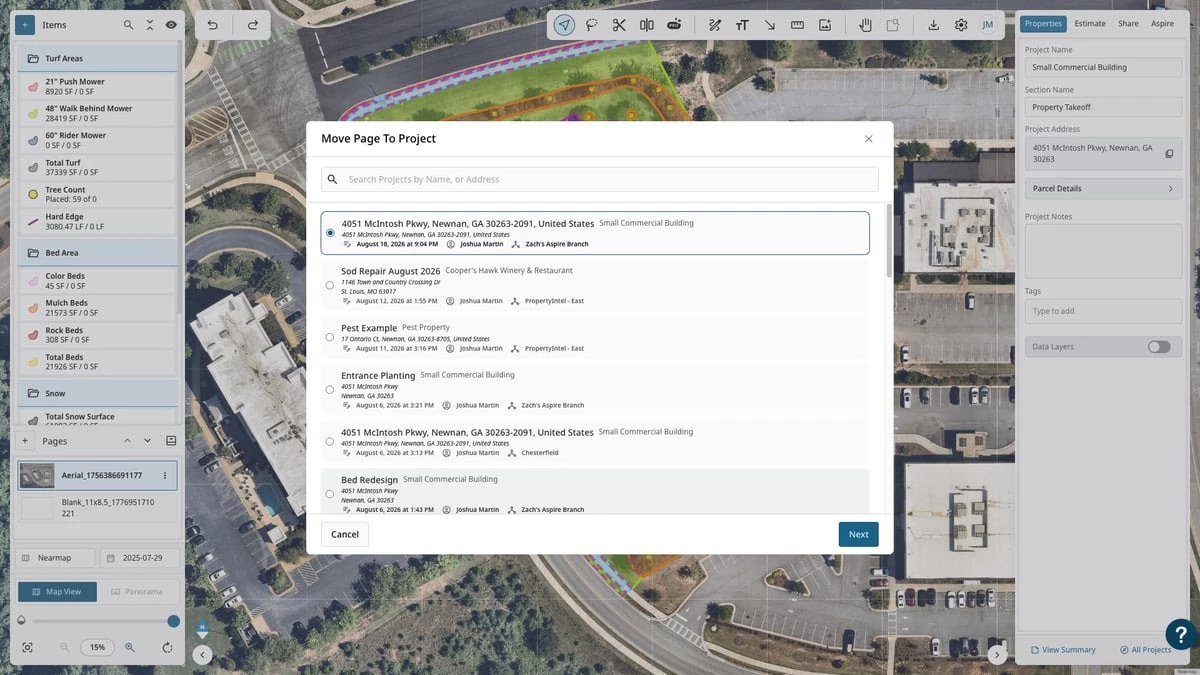
NEW — Move Pages Across Projects
Reorganizing and reusing takeoffs just got a lot easier.
Move any page — drawings, annotations, and materials included — to a different project without redrawing a thing.
One-Click Reorganization
Use the page menu to send a page to any project and section; everything on it comes along, and quantities update automatically on both ends.
Optimized for Mobile: Move pages from your phone or tablet while you're still on the property.
NEW — Multipoint Split Tool
Split complex shapes in a single motion. Click multiple points to draw a multi-segment line, then split your shape along the full path — no more repeating the split tool for every cut.
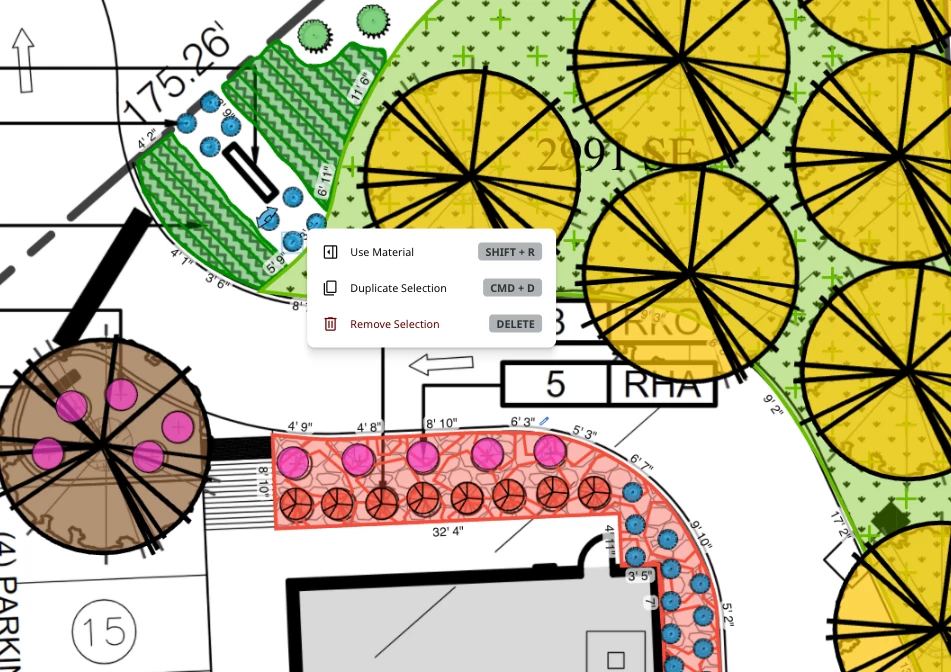
NEW — Reuse Material Instantly
Take the manual work out of switching materials mid-drawing. Right-click any existing shape and select "Use Material" — or just hit Shift+R — to keep drawing with the same material configuration.
Instant Continuation: Pick up exactly where you left off — no digging through the materials list required.
NEW — Shape Drawing with the Pen tool
Switch the Pen tool to Square, Circle, or a Shift-constrained straight line for clean geometric annotations — no more freehand approximations. Available on desktop and optimized for mobile with the same touch-drag gestures.
NEW — Show and Hide Text
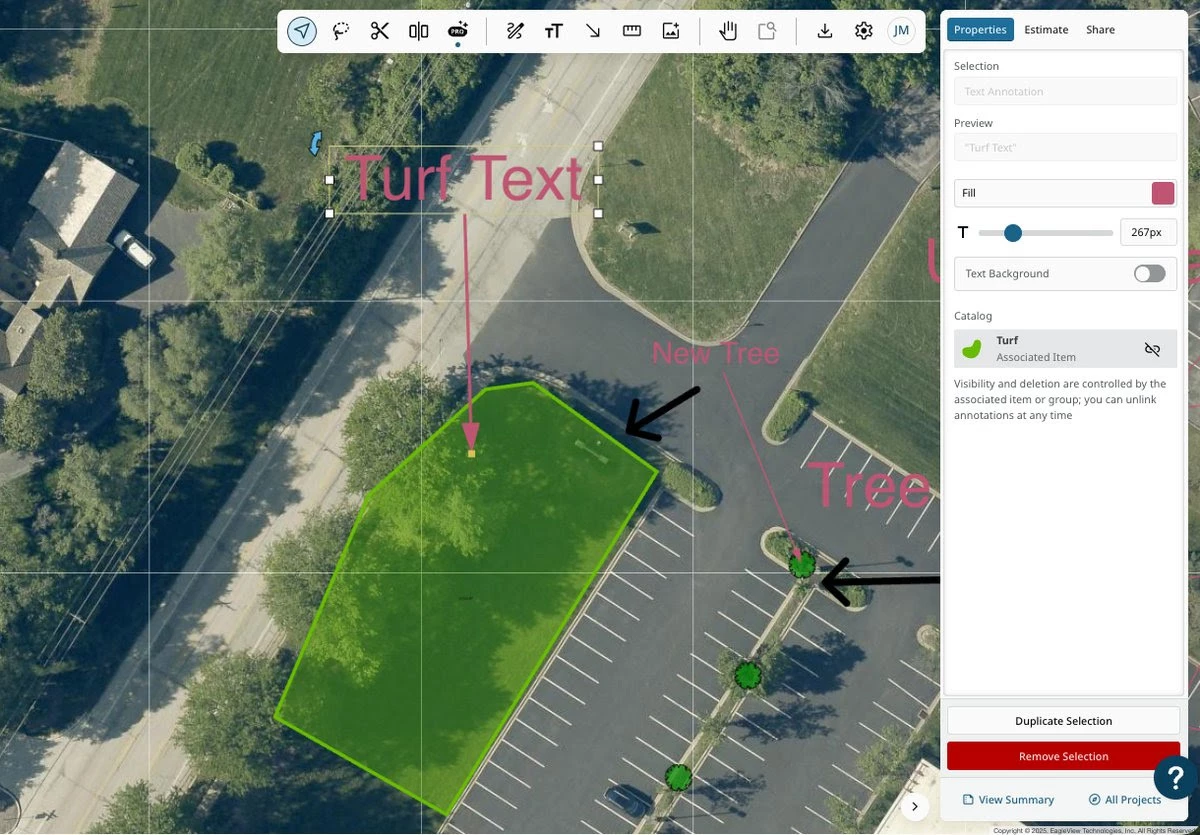
Keep your markup organized automatically. Link text, pen, and arrow annotations to a specific material or group, and they'll follow that item's visibility — hide the material, and its notes hide with it.
Stays In Sync: Show, hide, or delete a material or group, and every linked annotation follows suit — no manual cleanup.
Optimized for Mobile: Associate annotations on the go with a mobile-optimized linking tray.
IMPROVED — General Enhancements We also polished a handful of everyday workflows based on your feedback:
Vertical Text & Bigger Fonts: Text boxes now support multiple lines (Shift+Enter), text box resizing, and a much higher max font size, so labels stay readable whether you're zoomed in or zoomed all the way out.
Global Annotation Toggle: Hide or show all text, pen, and arrow annotations at once — great for clean exports — access in the canvas settings toolbar or with the Shift+N shortcut.
Faster Search & Sort: Property takeoff items in the Aspire sync modal are now alphabetized and searchable, so you can find what you need instantly.