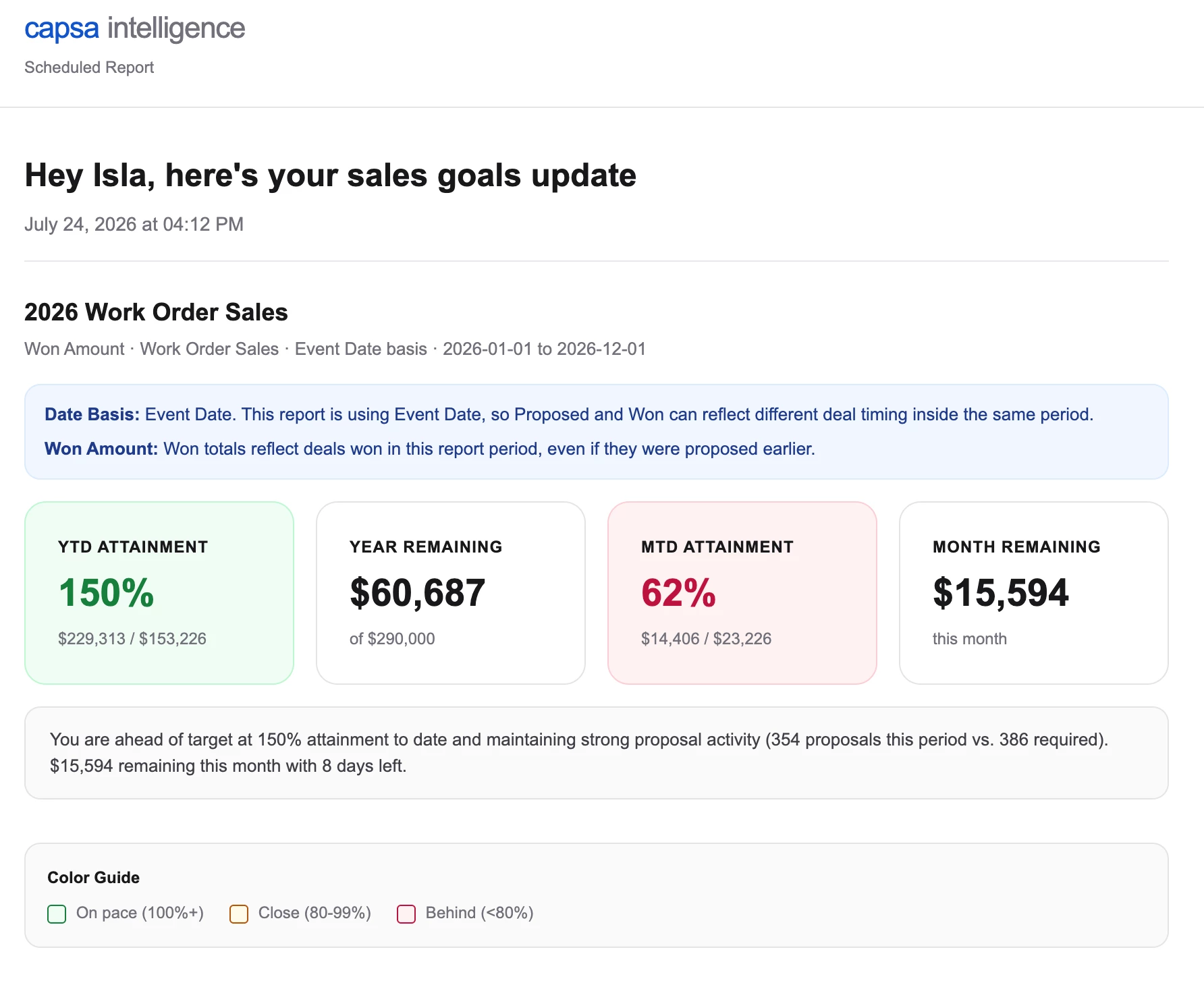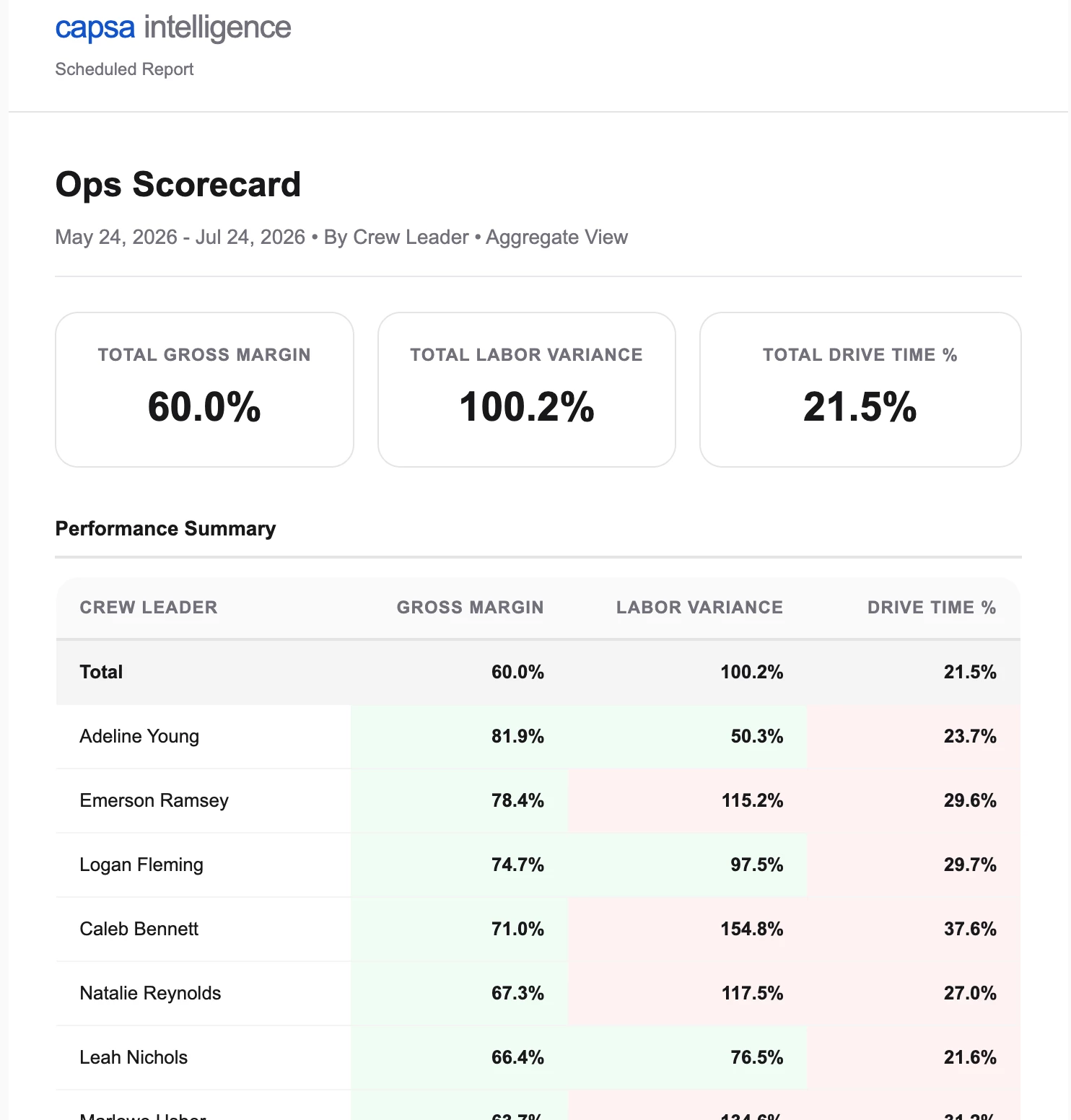

We started sending everyone their own personalized weekly report. It turned into one of our most-used tools.
Been meaning to post about this one for a while, but I’ve spent many nights and weekends the past year or so learning how to build automation tools, which I want to share with the group!
Quick context that'll cover this whole series, since I'll be leaning on it every week: I built custom automation talking to Aspire's API directly. On a schedule, it logs in, pulls whatever that week's report needs (completed tickets, hours, notes, whatever the specific tool cares about), packages it into a formatted PDF (sometimes Excel), and emails it out on its own. Nobody has to remember to run a report or export anything by hand, it just lands in the right inbox. I'll spare you the plumbing from here on and just focus on what each tool does and why we built it.
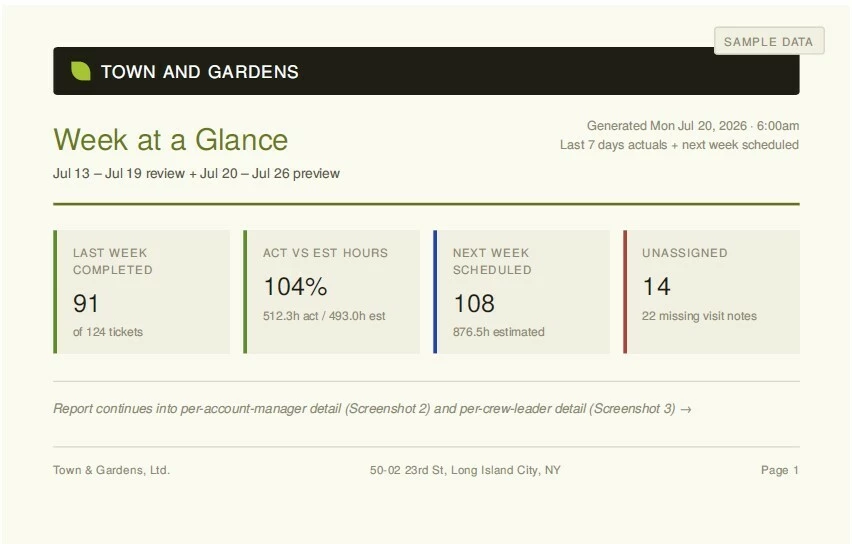
First one up: we call it our "Week at a Glance" report. Really it's the same report wearing three different hats depending on who's reading it.
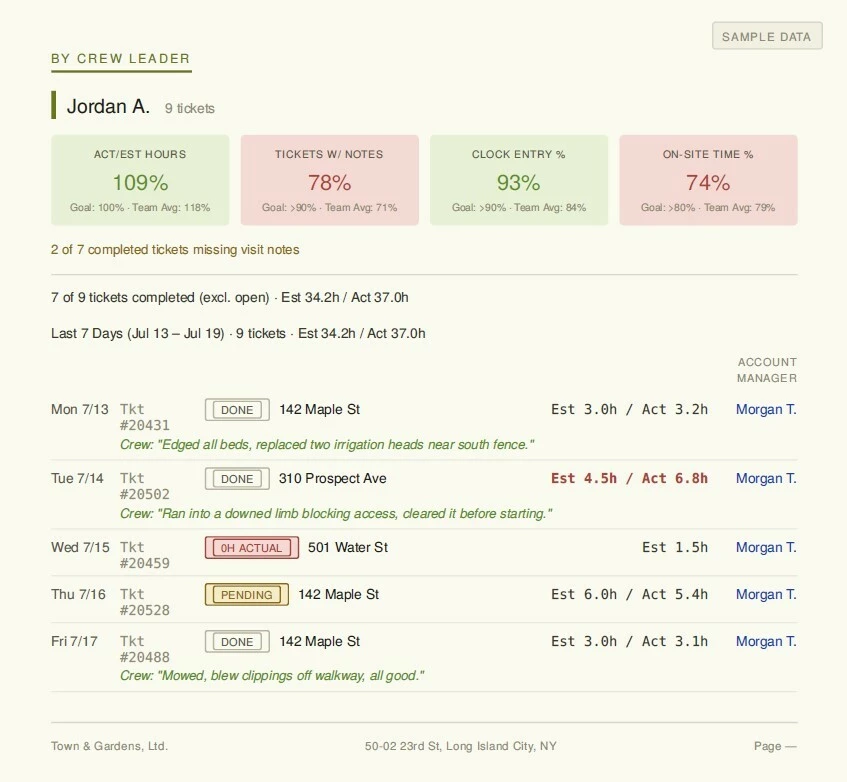
Every crew leader gets their own version showing just their last 7 days: every ticket they ran, hours estimated vs. actual (weekly totals and ticket by ticket), and whatever notes they logged. There's a small dashboard up top too: clock-in percentage, labor hours act/est, and how many of their tickets actually had notes attached. Just their stuff, nothing else.
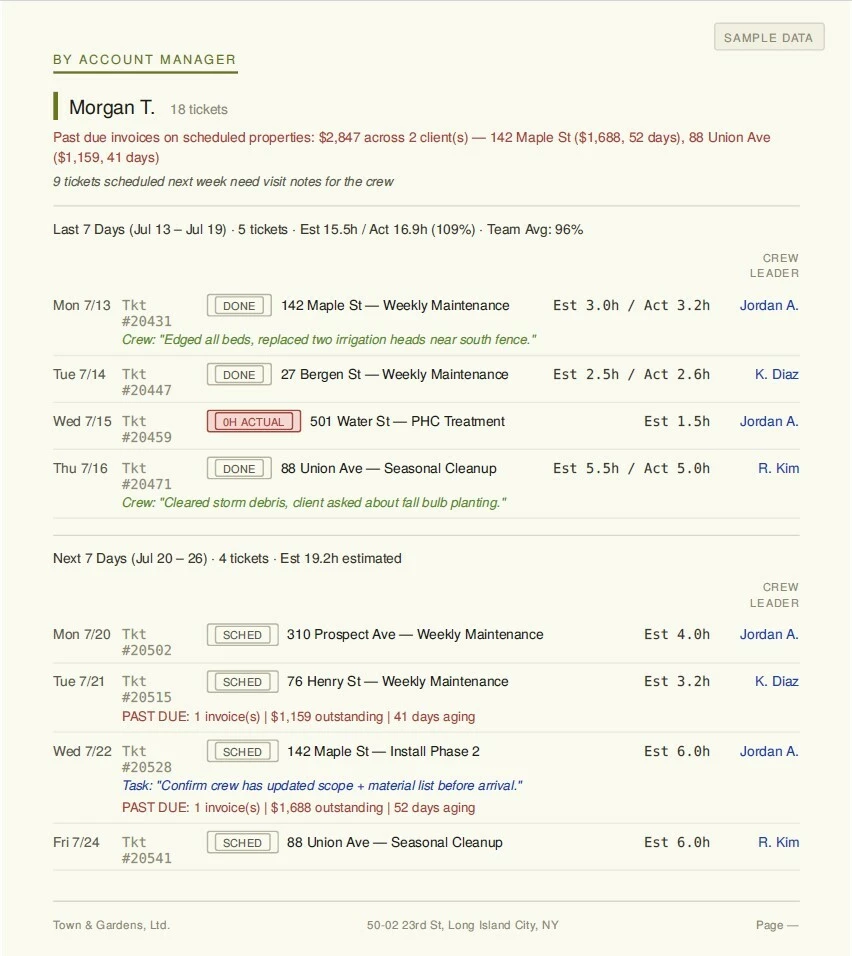
AMs get a version built for them. Same last-7-days view, but it also shows what's scheduled for the next 7 days, with a nudge to double-check hours and make sure the crew has notes going in before the visit. If anything coming up has a deposit that hasn't landed or an invoice sliding past 30 days, that shows up right on the report, so nobody finds out mid-job.
And then there's a rollup version for leadership. Same idea, topline: hours/cost performance, clock entry, note coverage, revenue from the week.
Honestly the surprising part wasn't building it, it was what happened after. Note-taking and clock compliance went up pretty noticeably once people could see their own numbers every week without having to ask. AMs started getting ahead of scheduling issues instead of finding out day-of that a job didn't have materials ready. A few crew leaders and AMs have actually told me they like getting something that's just theirs instead of digging through a shared dashboard.
Screenshots attached, names and numbers are fake, obviously.
Anyone else doing individualized reporting per person, or is it mostly shared dashboards / one big report for the whole team over there?
Up next: A few other posts I have planned based on already-built tools, things I’m actively working on, or looking more into... let me know what you be most interested in covering next week:
- Maintenance Portfolio Analyzer
- Automated Deposit Notifications & Aging Tracker/Reporting
- Automated Weekly OPs Production Reports for Maintenance and WIP Report for larger Installations
- GPS Clock Analyzer (where clock entry is happening relative to our facility or our properties)
- Automated EOM Pre-Close Audits - flags items needing attention and links to EOM review lists to relevant parties. Automated to send monthly.
- How we’re leveraging AI in general to empower our team to deliver the best service possible
- Working On/Up Next: How to get info/data to write back INTO Aspire