Solved

Reopen Closed Month

  • March 24, 2025
  • 2 replies
  • 102 views

Forum|alt.badge.img+3

How do I reopen a closed month in Aspire? 

Best answer by Jcruz

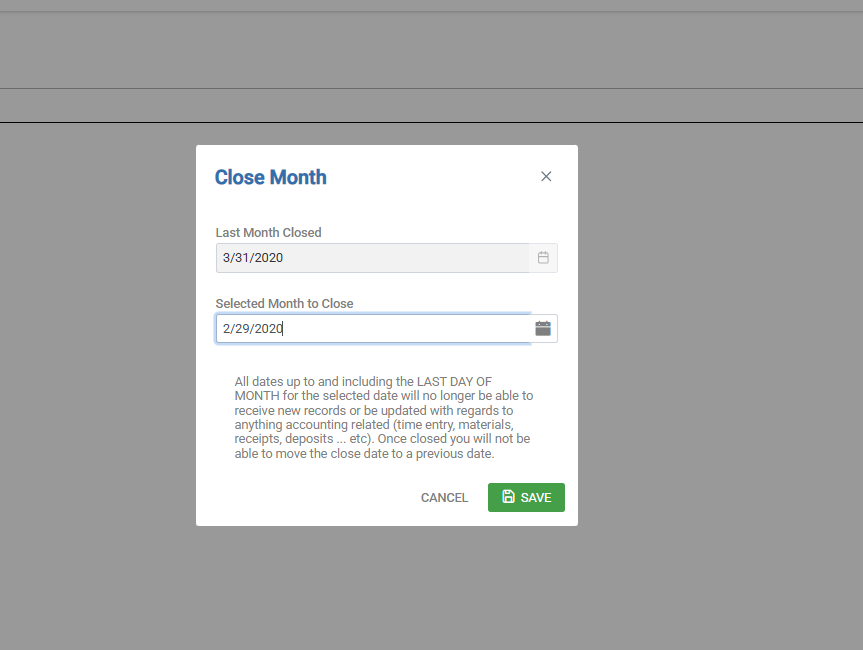
Hi ​@nicole, To reopen a closed month, go through the same steps as if you're closing a month, but instead enter a close date that falls on the last day of the previous month. This will reopen the month you want to access. If you're reopening multiple months, keep in mind that when you're ready to close them again, you'll need to close each month individually, one at a time.

Thanks! 

2 replies

Forum|alt.badge.img+11
  • Employee
  • Answer
  • March 24, 2025

Hi ​@nicole, To reopen a closed month, go through the same steps as if you're closing a month, but instead enter a close date that falls on the last day of the previous month. This will reopen the month you want to access. If you're reopening multiple months, keep in mind that when you're ready to close them again, you'll need to close each month individually, one at a time.

Thanks! 


Amy_Groves
Forum|alt.badge.img+17
  • Participating Frequently
  • March 27, 2025

Don’t DO IT -  you truly not reopening a month - you are actually reclosing a month which will shift any Revenue Variances.  9 times out of 10 you can fix without reopening.