

Hello!
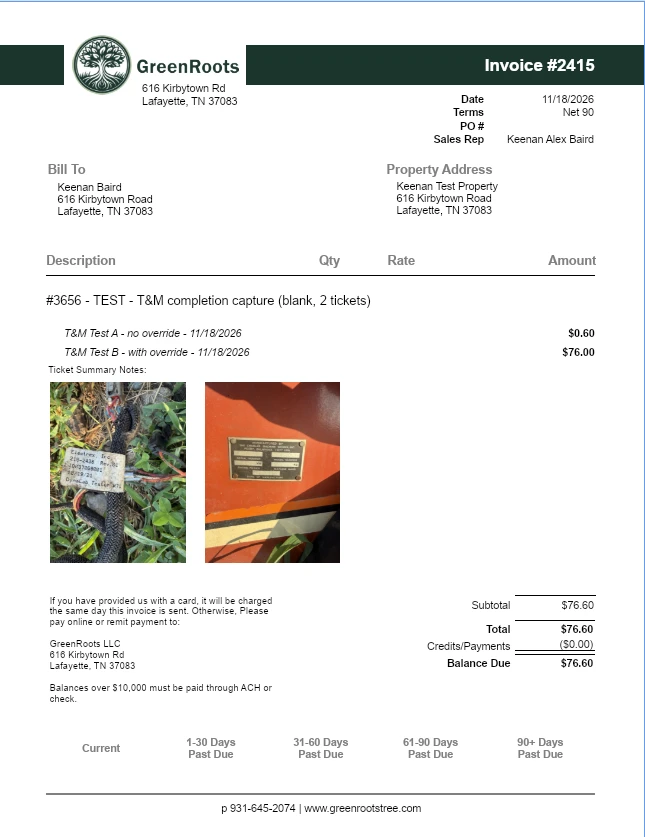
After Web Report Designer 301, I knew that there had to be a way to get the photos to load with spaces.
If you create a calculated field with the following:
Replace(Replace([InvoiceWorkTicketAndVisitNoteAttachments], 'width="640" height="auto"', 'height="225"'), 'style="display:block; margin-bottom:12px;" />', '/><span style="font-family:Courier New; font-size:17.5pt"> </span><span style="font-family:Arial; font-size:85pt"> </span>')
It will allow you to print 3 vertical images, or two horizontal images per row with a 12px space between them.