
Sticky

Aspire Trick?

  • January 23, 2026
  • 3 replies
  • 176 views

Kbaird
Forum|alt.badge.img+20

What are your favorite Aspire Tricks? Things that save you time, or that make others see you as a wizard?

I’ll be honest: mine is something that I think should be turned on by default. 

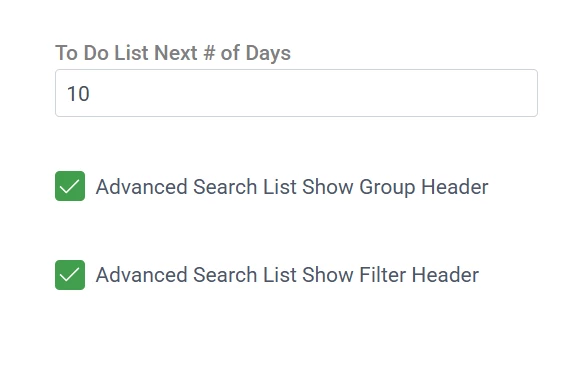
In User Settings there are two checkboxes for “Advanced Search List Show Group Header” and “Advanced Search List Show Filter Header”

Checking both of these makes it so much easier to quickly group, sort and filter lists. 
Alright! It’s your turn!

3 replies

Forum|alt.badge.img+4
  • Participating Frequently
  • February 6, 2026

Grouping by zip code when it comes to route scheduling. Collapsing the zip codes and then selecting the entire group has the system display so many more tickets for me. 


Kbaird
Forum|alt.badge.img+20
  • Author
  • Genius
  • February 6, 2026

Thats a great one! Hope scheduling is going well over at Midlands! 


Caren Bueno
Forum|alt.badge.img+8
  • Inspiring
  • February 24, 2026

That is definitely something I love keeping on as well. Such a simple setting, but it makes a huge difference. Great tip.

One thing we have learned over the past few months that has really made my life easier is working more intentionally at the Advanced Search formula level.

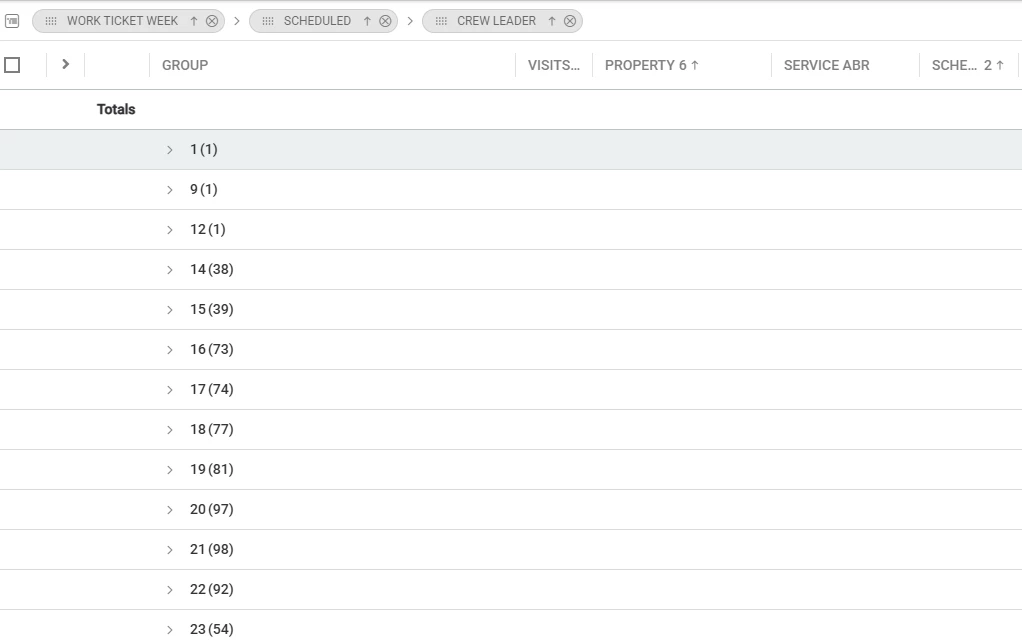
For example, we created a formula to group scheduled visits by week:

Formula Name: Work Ticket Week
Formula: DATEPART(WEEK, [ScheduledStartDate])

Following your tip about showing group headers, this allows us to quickly see scheduled visits grouped by week number. When combined with filtering by year, it becomes incredibly helpful for planning, forecasting, and cleaning up schedules.

It sounds small, but being able to visually group everything by week has been a game changer for operational clarity.

Curious to see what other “wizard” tricks people are using!