

Solved

SiteOne Purchase Unit Cost sync error?

  • August 21, 2024
  • 3 replies
  • 100 views

mwheeler
Forum|alt.badge.img+11

Hi everyone,

We’re encountering an issue with syncing the Purchase Unit Cost from SiteOne in the Item Catalogue. I’ve verified that each branch is correctly synced with SiteOne in admin settings, so that doesn’t seem to be the problem. The Price Lists for each branch are showing the correct cost, but the Purchase Unit Cost is still incorrect, which is causing our kits to be outdated.

Here’s an example from our Item Catalogue where the prices don’t match.
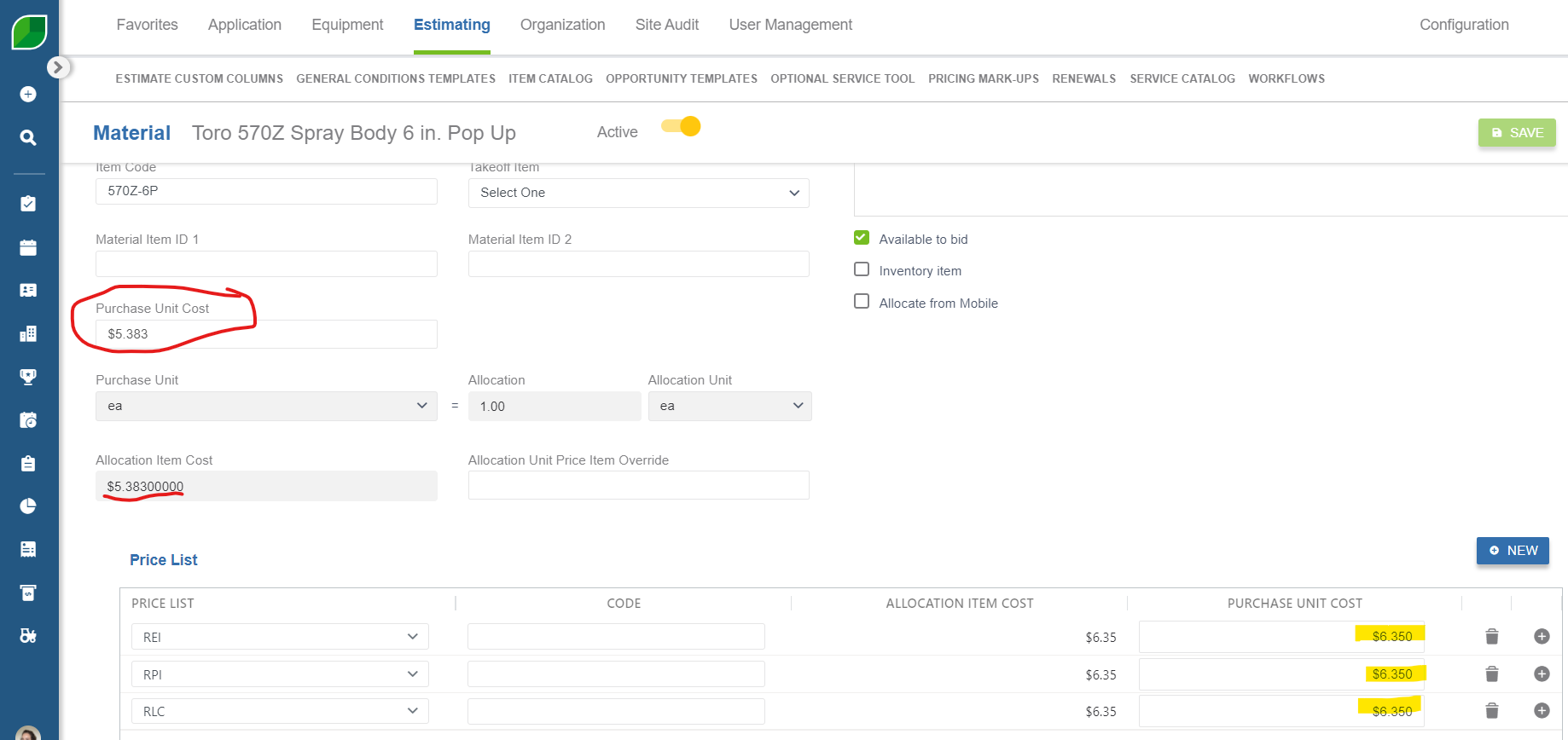
Could anyone help identify if we might have missed something in the setup? Any suggestions for resolving this would be greatly appreciated.

Thanks in advance!

Best answer by OptimusRy

@mwheeler it looks like you set up seperate site one price lists for each branch. So what is happening is that it is showing the price for each branch list. It will ignore the unit price and apply the correct branch list cost when you are estimating a job in that branch. 


Should the prices be coming through a the $5.383 for all branches?

3 replies

Amy_Groves
Forum|alt.badge.img+17
  • Participating Frequently
  • August 23, 2024

@SarahBeam 


OptimusRy
Employee
Forum|alt.badge.img+5
  • Employee
  • Answer
  • August 27, 2024

@mwheeler it looks like you set up seperate site one price lists for each branch. So what is happening is that it is showing the price for each branch list. It will ignore the unit price and apply the correct branch list cost when you are estimating a job in that branch. 


Should the prices be coming through a the $5.383 for all branches?


mwheeler
Forum|alt.badge.img+11
  • Author
  • Participating Frequently
  • August 29, 2024

@OptimusRy That makes sense - we used different price lists for each branch to account for differences in cost at each location/SiteOne pick up store. And just tested the kit, and it does pull the correct price in the estimate! When editing the kit, it pulled the Purchase Unit Cost in the Admin settings, which made me think it wasn’t pulling correctly in the estimate but it seems to be working fine. Thanks for the help!